
September marks a natural turning point for most businesses.
Summer schedules end. Employees settle back into their normal routines. And before long, the business enters its final and often busiest quarter of the year.
Q4 can bring heavier workloads, year end deadlines, budget planning, and higher customer demand. Your employees have more to get done, your customers are counting on you, and there is far less room for an unexpected IT problem to get in the way.
Is your IT ready for Q4, or are you waiting for a problem to find out?
You should not have to wait for a cyberattack, failed backup, aging server, or frustrated employee to tell you where the weak spots are.
September gives you an opportunity to find them first.
The National Institute of Standards and Technology, or NIST, has stated plainly that cybersecurity for small businesses works best as an ongoing process rather than a one time project.[1]
The same principle applies to IT readiness overall.
You do not need to predict every problem that could happen. You need confidence that someone is regularly looking ahead, identifying what needs attention, and taking care of it before a small issue becomes your problem.
And September gives your leadership team a practical window to do exactly that, before Q4 workloads make it much harder to prioritize.
The process does not need to be complicated.
Review it. Fix it. Prepare it.
Whether your IT is fully outsourced, managed by an internal IT team, or handled jointly through a co managed IT arrangement, the four areas below can help you understand how prepared your business really is.
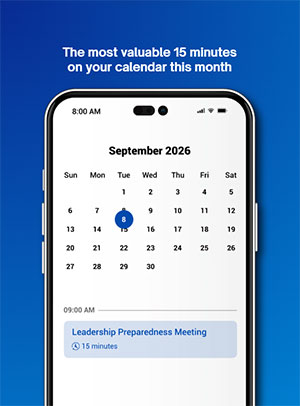
Here is a 15 minute Q4 IT readiness review your leadership team can run this month.
Cybersecurity: Are Your Accounts, Devices, and Systems Properly Protected?
Cybersecurity problems do not always announce themselves with an obvious warning.
Sometimes the risk is an account that was never properly secured.
Sometimes it is an employee who left months ago but still has access.
Sometimes it is a permission that made sense years ago and no one has reviewed since.
Start by confirming that multi factor authentication is enabled on critical accounts. Review who currently has access to important systems and whether they still need it. Check recent employee departures to make sure accounts, credentials, devices, and permissions were fully addressed during offboarding.
The goal is not simply to check a cybersecurity box.
It is to avoid discovering an overlooked gap after someone has already taken advantage of it.
For a business leader, that means fewer moments where an IT problem suddenly becomes a leadership problem, a customer problem, or a reputation problem.
Backup and Recovery: Are Your Backups Running, Protected, and Actually Recoverable?
Seeing that a backup job completed is reassuring.
Knowing you can recover from it is much more important.
A backup that has never been tested is an assumption, not a safeguard.
Confirm that backups are completing on schedule. Verify that they are protected from the same threats that could affect your live systems. Most importantly, test whether a file or system can actually be restored.
Because the question that matters during an outage or cyberattack is not simply, “Do we have backups?”
It is, “How quickly can we get the business working again?”
When employees are waiting, customers need answers, and leadership wants to know when operations will return to normal, that distinction matters.
You want to know the answer before you need it.
Technology and Systems: Are Your Software, Hardware, and Systems Current and Functioning Properly?
Most technology problems do not begin as emergencies.
They start as the computer that keeps slowing down.
The application employees have to restart every morning.
The server that is getting older but still seems fine.
The software update that keeps getting postponed because everyone has something more urgent to do.
Your team adapts. They create workarounds. And eventually the problem becomes part of the normal workday.
Until it fails loudly.
Review pending updates, unsupported software versions, recurring system problems, and aging hardware that may be approaching replacement.
Pay particular attention to the problems employees have simply learned to live with.
Those are easy to ignore during a normal week and much harder to tolerate when Q4 workloads increase.
Planning ahead gives you the opportunity to make technology decisions on your schedule instead of having a failure make them for you.
Productivity: Is Your Technology Helping Your Team Work Efficiently, or Creating Friction?
Not every technology problem causes an outage.
Some just make work harder than it needs to be.
A slow system costs a few minutes here and there. A clunky process requires an extra step every time someone completes a task. Employees manually move information between systems because nobody has had time to find a better way.
One inconvenience might not seem significant.
Multiply it across several employees, hundreds of tasks, and an entire quarter, and the impact looks very different.
Ask your employees a simple question:
Where does technology make your job harder than it should be?
Listen for slow systems, repetitive manual work, recurring application problems, unreliable equipment, confusing processes, and workarounds that have quietly become normal.
The answers are often more specific, and more fixable, than leadership expects.
More importantly, removing that friction gives your people more time to focus on the work your customers actually need from them.
Where Diamond Technologies Fits
Once you have reviewed these four areas, you should have a clearer picture of what is solid, what needs attention, and what still depends on assumptions.
If your internal IT team has the time, resources, and expertise to address everything you uncover, that is a good sign.
But sometimes the problem is not knowing that something needs attention.
It is having enough time and capacity to actually address it.
That is where Diamond Technologies can help.
For businesses that want to fully outsource IT, our team can take responsibility for reviewing, maintaining, and planning the technology environment.
For organizations with internal IT staff, we can work alongside your team through a co managed IT approach, providing additional capacity and expertise where it is needed.
The goal is not to make your Q4 readiness review more technical.
It is to help you answer a much more important question:
Can we enter our busiest quarter confident that our technology is ready to support the business?
You should be able to say, “We’ve got people we trust handling this,” and turn your attention back to running the business.
Put 15 Minutes on the Calendar for Your Q4 IT Readiness Review
You do not need a major technology project to get started.
Put 15 minutes on the calendar and ask four questions:
- Are our accounts, devices, and systems properly protected?
- Are our backups running, protected, and actually recoverable?
- Are our software, hardware, and systems current and functioning properly?
- Is our technology helping employees work efficiently, or creating unnecessary friction?
If your team can answer all four questions with confidence, you have a strong sense of how your technology will support the business through Q4.
If one or two answers make everyone in the room hesitate, that is useful too.
You have found where to start.
The goal is not perfect technology. It is fewer surprises, clearer ownership, and greater confidence that when your business gets busy, the technology behind it is ready.
Diamond Technologies has helped Mid Atlantic businesses, healthcare organizations, nonprofits, and public sector agencies get IT ready for Q4 since 1996.
If you want a second opinion on where your business stands, schedule a Q4 IT readiness review with our team.
Call (302) 656-6050 option 3 or visit our Contact Us page to schedule a conversation.
Frequently Asked Questions
What Does Q4 IT Readiness Mean?
Q4 IT readiness means confirming that a business’s cybersecurity, backups, technology systems, and day to day productivity tools are functioning properly and can support increased workloads before the final quarter of the year begins. A Q4 IT readiness review can help identify security gaps, backup and recovery concerns, aging technology, system problems, and productivity issues before they cause disruption during a busy period.
Why Should Businesses Review IT Before Q4 Instead of During It?
Q4 typically brings heavier workloads, tighter deadlines, budget planning, and less flexibility to absorb disruption. Reviewing IT systems in September, before that pressure builds, gives a business time to identify and fix issues instead of reacting to them during its busiest period. It also allows leadership and IT teams to make planned decisions about cybersecurity, hardware, software, backups, and other technology needs rather than making those decisions under the pressure of an outage or failure.
Is Cybersecurity a One Time Project or an Ongoing Process?
According to NIST, cybersecurity for small businesses is not a one time project but a continual, ongoing set of activities.[1] Treating IT readiness the same way, as a recurring review rather than an annual event, can help businesses identify small issues before they become larger disruptions. Regular cybersecurity and IT reviews can include checking account access, multi factor authentication, employee offboarding, software updates, backup performance, recovery capabilities, hardware lifecycle needs, and other potential risks.
Does a Q4 IT Readiness Review Apply if We Already Have an Internal IT Team?
Yes. The four review areas, cybersecurity, backup and recovery, technology and systems, and productivity, apply whether IT is handled internally, fully outsourced, or managed jointly through a co managed IT arrangement. Organizations with internal IT teams can conduct the review themselves. An outside IT partner can also provide a second opinion, additional capacity, or expertise in specific areas where the internal team wants support.
What Should Be Included in a Q4 IT Readiness Review?
A Q4 IT readiness review should examine four primary areas: cybersecurity, backup and recovery, technology and systems, and employee productivity. Businesses should review account security and access, multi factor authentication, employee offboarding, backup performance and recovery testing, software updates, aging hardware, recurring technical issues, and technology related friction affecting employees. The purpose is to identify potential problems while there is still time to address them before Q4 workloads increase.
How Long Does a Basic Q4 IT Readiness Review Take?
A leadership team can begin with a basic 15 minute Q4 IT readiness review by asking four questions about cybersecurity, backups, technology systems, and productivity. That initial conversation may uncover areas that require a more detailed technical assessment, but it gives leadership a quick way to identify where the organization feels confident and where additional review may be needed.
Citations
[1] Paulsen, C. and Toth, P. (2016). Small Business Information Security: The Fundamentals, NIST Interagency/Internal Report (NISTIR) 7621 Revision 1. National Institute of Standards and Technology. https://csrc.nist.gov/pubs/ir/7621/r1/final