
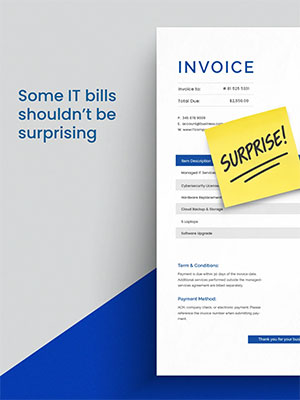
 A useful 2027 IT budget brings four things into view: equipment replacements, upcoming renewals, staffing changes, and the technology your business plans will need.
The hard part is getting that information into one place while you are also running the business. Your renewal notices may live in three different inboxes. Your operations manager knows which computers are struggling. Leadership is discussing new hires, but those plans haven’t reached the person responsible for technology.
For business owners and finance leaders in the Wilmington area, the answer is a planning conversation that connects those moving parts, not another spreadsheet to maintain alone. You shouldn’t have to remember every software renewal and replacement date. You should be able to see what is coming and why it matters.
Start with these four gaps:
- Using last year’s spending as next year’s plan
- Waiting for equipment to decide when it gets replaced
- Reviewing renewals after the decision deadline
- Keeping business planning and technology planning separate
1. Is last year’s spending a reliable guide for next year’s IT budget?
Last year’s invoices show what you paid and help identify recurring expenses. They don’t show what your business will need next year.
Suppose your Wilmington office plans to add several employees in the spring. Their salaries may already be in the operating budget. But has anyone included their computers, software accounts, setup, and ongoing support? The same question applies to a new business application, a change in office space, or a different way of serving customers.
Before carrying last year’s total into 2027, ask what has changed. Then separate ongoing expenses from planned purchases and projects. That gives you a budget connected to the business you are preparing to run, not just a familiar number.
2. Should you wait for equipment to fail before replacing it?
Nobody needs to replace a computer simply because it has a birthday. But waiting until equipment stops working leaves you with fewer choices about timing, setup, and how much disruption your team can absorb.
Ask your IT provider to review equipment condition, performance, warranty coverage, and manufacturer support. The goal is to identify what deserves attention, not to turn every older device into an urgent purchase.
A practical replacement plan also accounts for the work around the purchase: configuration, moving information, helping the employee get settled, and retiring the old device appropriately. Those steps belong in the conversation before someone arrives on Monday with a computer that won’t start.
Two Microsoft deadlines make this concrete for 2027. Microsoft ended support for Windows 10 on October 14, 2025, and businesses that keep Windows 10 PCs running can buy Extended Security Updates for up to three years, at $61 per device in year one with the price doubling each year. Extended support for Windows Server 2016 ends on January 12, 2027. If either is in your environment, it belongs in the budget now, with a date attached.
3. Are you reviewing renewals before or after the decision deadline?
Automatic renewal is convenient. It isn’t the same as an intentional decision to keep a service.
Before a contract renews, confirm who uses it, whether it still serves a business purpose, and what your options are for changing the subscription. Watch the deadline for making changes, not just the date the invoice arrives.
You may find overlapping tools, accounts that need review, or software your team depends on more heavily than anyone realized. Each deserves a decision based on current needs.
Give each renewal an owner and a review date. A calendar reminder works better when someone knows what they are responsible for checking. For a broader look at keeping reviews on the calendar, read IT Readiness Is Not a One Time Project.
4. Is IT part of your business planning conversations?
Imagine a Delaware business preparing to open another location in southeastern Pennsylvania. The leadership discussion covers the lease, staffing, and opening date. Technology gets added later.
Now someone needs to work out internet service, equipment, access to business systems, phones, and support, against a deadline that has already been announced.
Bringing IT into the earlier conversation creates room to compare options and plan the work. You don’t need every technical answer in the first meeting. You do need someone asking, “What will this change require from our technology?”
Aim for clearer decisions, not perfect predictions
No budget can account for every unexpected event. A useful one makes known commitments visible, identifies estimates, and gives you a reason to revisit the plan as circumstances change.
Diamond Technologies is a managed IT services provider in Wilmington, Delaware, serving businesses across Delaware, Pennsylvania, Maryland, and New Jersey since 1996. Regular strategic planning is part of our managed IT services. We meet with clients to review performance and discuss upcoming needs. Investors Realty’s published testimonial highlights the value of reviewing equipment lifespan and performance during its quarterly meetings with our team.
That is the kind of conversation to have before an expense becomes urgent. Bring your renewal questions, equipment concerns, and 2027 plans, and let’s talk about where you need a clearer picture.
Schedule a discovery call with Diamond Technologies. Call 302-656-6050 or contact us online.
Frequently Asked Questions
What should a 2027 IT budget include?
A 2027 IT budget should include equipment replacements, software and service renewals, staffing changes such as new hires, and the technology your business plans will need, such as a new location or application. Separate ongoing expenses from one-time purchases and projects so the budget shows what changes your monthly costs.
Why isn't last year's IT spending a reliable forecast?
Last year’s invoices show what you paid, not what your business will need. New hires need computers, software accounts, and support. A new application, an office change, or a new way of serving customers adds costs that never appeared on last year’s invoices.
When should a business replace its computers?
Age alone is not a good trigger. Ask your IT provider to review each device’s condition, performance, warranty coverage, and manufacturer support, then plan replacements before a failure forces the timing. Include the work around the purchase: configuration, moving information, employee setup, and retiring the old device. Fixed vendor dates matter too: Microsoft ended support for Windows 10 on October 14, 2025, and extended support for Windows Server 2016 ends on January 12, 2027.
How can a business avoid surprise software renewals?
Track the deadline for making changes, not just the invoice date. For each renewal, confirm who uses the service, whether it still serves a business purpose, and what options exist for changing it. Then assign each renewal an owner and a review date.
How does an IT provider help with budget planning?
A managed IT provider can review equipment condition, upcoming renewals, and your business plans in one conversation. At Diamond Technologies, regular strategic planning is part of our managed IT services, and we meet with clients to review performance and discuss upcoming needs.